


Rap Fame - Rap Music Studio
4.717.46K Reviews
App Specs
- Version
- 3.98.0
- Updated On
- License
- Free
- Downloads
- 10,000,000+
- Developer
- Rap Tech Studios
- Categories
- Music & Audio
- Platform
- Android, iOS
Screenshots
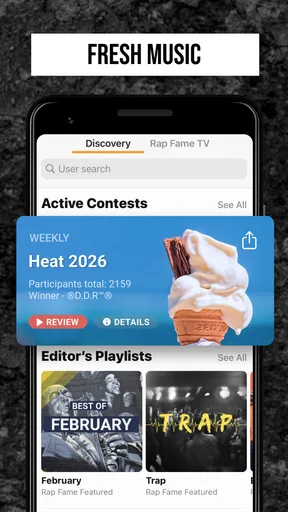
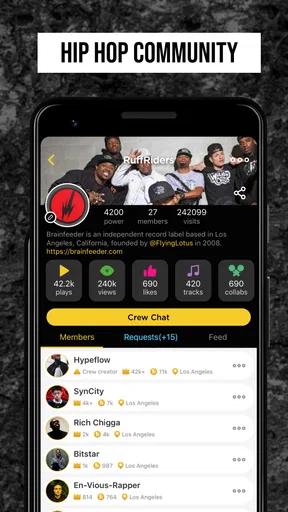
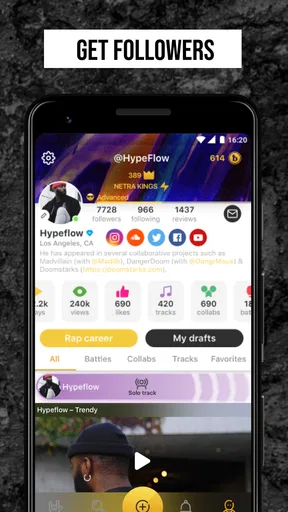
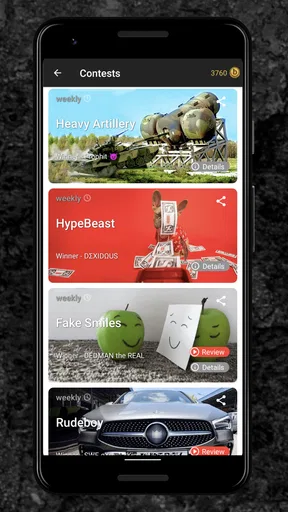
 Analysis by AppCompare
I’m always a little wary of music apps that feel exciting for a few days and then become another icon I never open. Rap Fame - Rap Music Studio has a better chance of sticking around if you treat it as a place to practise and finish small ideas, not as a shortcut to a finished career. Its mix of beat browsing, vocal recording and a social scene gives me a reason to return, though the community side can also become a distraction if making music is your main goal.
Why the first week feels inviting
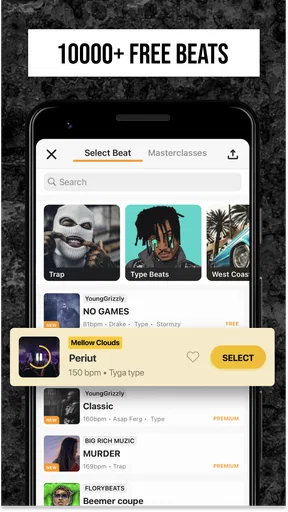
The appeal is easy to understand: you can start with a beat rather than building a backing track from scratch. The app is a free music-making and audio app from Rap Tech Studios, and its large beat catalogue makes it approachable when you have a line in mind but no production setup. I’d use those first sessions to audition rhythms and find a pocket for a verse, rather than trying to make every early recording sound release-ready.
That low-friction start is useful for beginners who want to hear their words against music before investing in equipment or learning a desktop recording program. It also suits experienced writers who want to capture a quick idea away from their usual setup. The trade-off is that convenience can encourage endless browsing: I’d pick a beat with a clear mood, record a rough take, and move on instead of waiting for a perfect choice.
From a quick recording to a repeatable habit
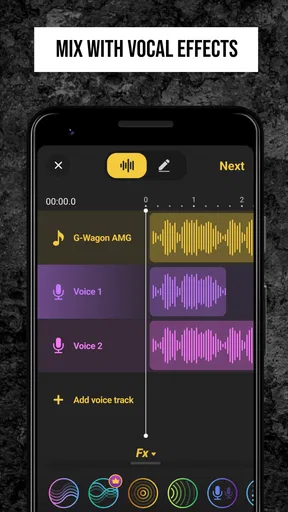
The recording and vocal effects make the app more than a beat player. A practical routine is to write a short verse, record a rough pass, then use effects sparingly to see whether the delivery works. Multitrack recording can help when you want to layer a backing vocal or test a harmony; it is most useful as a creative sketching tool, where you can compare ideas without turning the session into a complicated mixing project.
For a realistic everyday use, imagine getting a lyric idea during a commute break. You can save the thought for later, then sit somewhere quiet at home, choose a beat that fits the cadence, and record a draft while the phrasing is still fresh. I’d keep a note of what needs another take—unclear words, rushed lines, or a breath that lands in the wrong place—rather than piling on effects to hide a performance issue. That habit makes the app’s studio tools serve the writing instead of taking over.
What keeps it useful after the novelty fades
Long-term value depends on whether you return with a purpose. A weekly writing target, a freestyle exercise, or a small set of drafts to revisit gives the app a recurring role. Freestyling is particularly handy when you want to loosen up before writing: choose a beat, keep going through imperfect lines, and listen back for a phrase or rhythm worth developing. It can be practice without the pressure of presenting every take as a finished song.
The community gives you another reason to come back, especially if you want listeners beyond friends and family. Sharing a track can invite reactions, and connecting with other artists may lead to useful feedback or creative exchanges. I’d approach that part selectively: ask for comments on one specific thing, such as whether the hook is clear, instead of treating likes as a reliable measure of musical progress. Social response can be motivating, but it is not the same as careful critique.
Worth Reading Before You Choose

Flipboard Shows What News Apps Must Do Beyond the Feed

Switching to Android Auto Means Rethinking Your Driving Routine

Google Calendar Makes a Crowded Week Easier to Manage

Ludo King Makes the Most of the Minutes Between Plans

Baby Panda World Brings Quick Play to Modern Phones, but Its Game Library Feels Busy

ESPN’s Live Game View Makes Following Close Games Easier
With an average rating of 4.7 from around 173,000 ratings and more than 10 million installs, Rap Fame clearly attracts a substantial audience. Those figures say something about its reach, not whether it will suit your workflow. It is rated for teens, runs on Android 7.0 or later, and its current version is 3.78.6. The app is free to start, with optional in-app purchases ranging from $0.99 to $400 per item, so I’d check purchase details before spending and use the free experience first to see whether the tools fit your routine.
How it compares with other ways to make rap
Compared with a basic voice recorder, this app brings beats, vocal processing and an artist community into one place. That makes it easier to move from an idea to a shareable demo without juggling separate tools. A general-purpose music production app may be a better fit if you want detailed control over instruments, arrangement or mixing, while a plain recorder can be preferable when you only need to capture lyrics and want fewer distractions.
That distinction matters for expectations. Rap Fame is most appealing when your starting point is a vocal performance over an existing beat and you want a quick path to trying, recording and sharing it. If your priority is precise studio production, mastering, or a carefully controlled final release, I would use it for drafts and practice, then move the project into a more suitable production workflow. The convenience is real, but it should not be confused with every tool a dedicated studio offers.
Small choices that improve a session
One useful approach is to separate beat selection from recording. First shortlist a few rhythms that match the pace and mood of your lyrics; then record the same short section over each. Comparing takes makes it easier to notice which beat supports your natural delivery, rather than choosing only by which instrumental sounds impressive on its own. It also limits the time spent scrolling when you meant to write.
Another trade-off is effects. Autotune, echo and reverb can help you explore a sound, but heavy processing may make it harder to judge timing and diction. I’d keep one relatively plain take as a reference, then experiment on another version. That way you can tell whether an effect improves the performance or merely makes a rough take feel more finished than it is.
For feedback, share selectively and make the question easy to answer. A short excerpt can be more useful than asking listeners to judge an unfinished track in general. If you are not comfortable putting work in front of a social audience, you can still use the recording and beat tools privately; the community is an option, not a requirement for practising. On the other hand, anyone expecting a quiet, purely technical workspace may find the social layer pulls attention away from recording.
Where the routine can become tiring
The biggest risk is not that there is nothing to do, but that there are too many ways to spend a session without finishing anything. Browsing beats, adjusting effects, checking reactions and jumping into social activity can all feel productive while leaving a verse untouched. I’d set a simple endpoint before opening the app: finish a draft, test a chorus idea, or practise a flow for a few minutes. That boundary makes it easier to leave with something useful.
There is also a difference between a supportive community and dependable professional feedback. Other users can help you hear how a track lands, but reactions may be brief or shaped by personal taste. If you need detailed guidance on recording technique or a polished mix, a focused teacher, trusted collaborator or dedicated production tool may serve you better. The app’s social energy is a bonus when it encourages you, not a substitute for every kind of musical support.
The Beat Behind the App
First things first, let’s talk about the heart of any rap – the beat. Rap Fame offers an extensive library of beats across various genres. Whether you’re into classic boom-bap or modern trap, there’s something here for you. The beats are produced by talented creators, and the app regularly updates its library, so you’re always in sync with the latest trends.
The interface is pretty intuitive. You can browse, preview, and download beats with a few taps. I found myself lost in endless possibilities, trying out different rhythms to see what matched my style. It’s like having a personal DJ in your pocket!
Recording and Effects: Your Studio on the Go
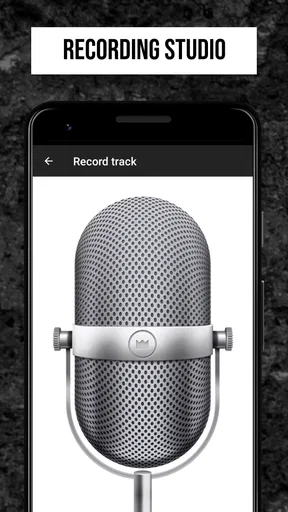
Recording your track is as simple as hitting the record button. The app provides a user-friendly interface where you can easily manage your recordings. One feature I particularly loved is the multitrack recording option. It allows you to layer vocals and create harmonies, giving your rap a polished, professional feel.
But wait, there’s more! The effects suite is pretty impressive. From autotune to echo and reverb, you can tweak your sound to perfection. It’s like having a mini mixing board at your fingertips. The best part? You don’t need to be an expert sound engineer to get it right. The app guides you through each step, ensuring your vocals sound crisp and clear.
Join the Community: Share and Collaborate
One of the standout features of Rap Fame is its vibrant community. Once you’ve crafted your masterpiece, you can share it with other users. The community is active, supportive, and always ready to give feedback. I found this aspect particularly encouraging as it provides a platform to showcase your talent and get constructive criticism.
Collaboration is another key element. You can connect with other artists, participate in battles, or simply enjoy the creativity of others. It’s a fantastic way to network and grow as an artist. Plus, the app regularly hosts contests, giving you the chance to win prizes and gain exposure.
The Freestyle Feature: Unleash Your Creativity
If you’re feeling spontaneous, the freestyle feature is a great way to test your skills. You can choose a beat and start rapping off the cuff. It’s a fun exercise and a great way to practice your flow. I spent hours just freestyling, and it was both a challenge and a joy. It sharpens your ability to think on your feet and helps you develop a unique style.
Easy Sharing and Social Integration
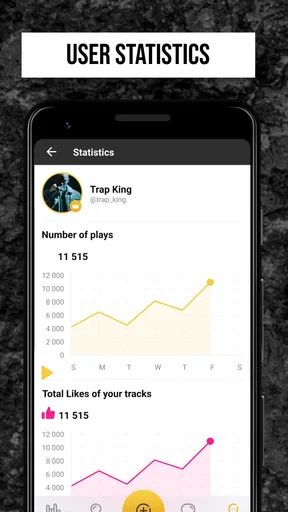
Once your track is ready, sharing it is a breeze. Rap Fame integrates seamlessly with social media platforms, allowing you to post your creations on Instagram, Facebook, and Twitter. It’s an excellent way to reach a wider audience and get your music noticed. Plus, the app’s built-in analytics let you track your plays and likes, providing insights into how your music is performing.
Final Thoughts
In conclusion, Rap Fame - Rap Music Studio is not just an app; it’s a community, a recording studio, and a platform for artistic expression. Whether you’re a seasoned rapper or a newcomer looking to explore the world of hip-hop, this app offers everything you need to create, share, and enjoy rap music.
The combination of an extensive beat library, a user-friendly recording interface, and a supportive community makes it a standout choice for anyone passionate about rap. So why wait? Grab your phone, download Rap Fame, and start making music today!
Who will get the most from it
I’d recommend it most to people who write lyrics, want to practise delivery, or enjoy trading creative energy with other rappers. Beginners get a straightforward way to hear words over a beat, while more experienced artists can use the phone-based setup to capture ideas before they disappear. It is less suitable for someone who only wants to listen to finished music, or for a producer whose main need is detailed control over a full instrumental arrangement.
After the early excitement, I think the app earns space on a phone when it becomes part of a modest routine: write, try a beat, record, review, and occasionally share. It does not need to replace a dedicated studio to be worthwhile. If you go in expecting a convenient rap practice and demo space—and keep social feedback and effects in perspective—it can remain useful well beyond the first burst of curiosity.
Pros
- User-friendly interface for beginners.
- Large library of beats and instrumentals.
- Integrated community for feedback and support.
- Recording quality is surprisingly good.
- Frequent updates and new features.
Cons
- Ads can be intrusive at times.
- Limited features without premium.
- Occasional app crashes reported.
- Requires stable internet connection.
- Lacks advanced editing tools.
FAQs for Rap Fame - Rap Music Studio
What features does Rap Fame - Rap Music Studio offer?
Rap Fame - Rap Music Studio provides a range of features that cater to aspiring rappers and music producers. It includes a beat library, recording studio, and audio effects to enhance sound quality. Additionally, the app offers a community platform where users can share their tracks, receive feedback, and collaborate with others in the rap community.
Is Rap Fame - Rap Music Studio suitable for beginners?
Yes, Rap Fame is designed to accommodate users of all skill levels. Beginners will find the user-friendly interface easy to navigate, with tutorials and guides available to help them get started. The app provides basic tools for beginners while also offering advanced features for more experienced users seeking to refine their craft.
Are there any costs associated with using Rap Fame - Rap Music Studio?
Rap Fame offers a free version with basic features. However, to access premium features such as advanced audio effects, an expanded beat library, and ad-free experience, users can opt for a subscription. It's advisable to review the pricing and decide based on your needs and how extensively you plan to use the app.
How can I share my music created on Rap Fame?
Sharing music on Rap Fame is straightforward. Users can upload their tracks directly to the app’s community platform, where they can interact with fellow artists, receive feedback, and gain exposure. Additionally, music can be shared on social media platforms and other music-sharing sites, allowing artists to reach a wider audience.
Is an internet connection required to use Rap Fame - Rap Music Studio?
While some features of Rap Fame, such as accessing the community platform and downloading new beats, require an internet connection, many of the core functionalities like recording and editing can be used offline. This flexibility allows users to work on their music anytime, anywhere, without being dependent on internet access.


